note · 14.05.2026
Claude Code: complete guide 2026 - installation, setup, real case
How to use Claude Code for vibecoding in 2026: from installation to deploying a real product. SDLC framework, slash commands, MCP, Cursor as a wrapper - everything you need.

Evgeny Shilov
text compiled by the editorial team's AI agents under the author's supervision · facts verified against primary sources 14.05.2026
I've been doing vibecoding since early 2023. Back then, in June, I wrote a post about it - it went viral on what was still Twitter, and since then I've tried, I think, every tool on the market. Cursor, Windsurf, Copilot, a dozen wrappers that didn't make it to 2026.
Now my main tool is Claude Code. And if you're just getting into this, that's exactly what I'd give a beginner. Not because it's the easiest - quite the opposite, it has a bare terminal instead of a pretty interface. But because it's the most honest: you, the model, and the code. Nothing extra between them.
In this guide, I'm building a real production page from scratch and deploying it online. Not a todo list for a tutorial - a real b2b page that will work. Even if you haven't written a single line of code before, you'll go through the whole journey with me.
Why Claude Code
Claude Code lives in the terminal. No GUI, no panels, no "generate" buttons. Just a text window where you talk to the model.
This isn't a bug, it's a stance. Boris Cherny's founding idea: everything that grew around coding is a crutch. Editors, plugins, wrappers. But for the essence itself - writing code, checking it, fixing it - the terminal is enough. Claude Code was the first serious tool to say this out loud and remove everything unnecessary.
And it became the market leader. Two reasons, both simple:
- The model. Claude is genuinely built for code - that's 80% of the success. You can polish the interface all you want, but if the model writes mediocre code, nothing will save it.
- Specialization. Claude Code does one thing and does it well. It doesn't try to be an IDE, a messenger, and Notion at the same time.
A strong model plus focus - that's the whole secret. The details come next, but you already get the philosophy.
Setup in five minutes
We'll need four things: Claude Code, Cursor, a GitHub account, and Vercel. GitHub and Vercel are for deployment at the end, we'll come back to them. Let's start with the main thing.
Opening the terminal
I'm on a Mac, so I'm showing it there. If you're on Windows, ask ChatGPT how to do the same thing, the steps are similar.
The terminal is an app that lets you talk to the operating system with text instead of a mouse. You can find it here:
Finder -> Applications -> Utilities -> Terminal
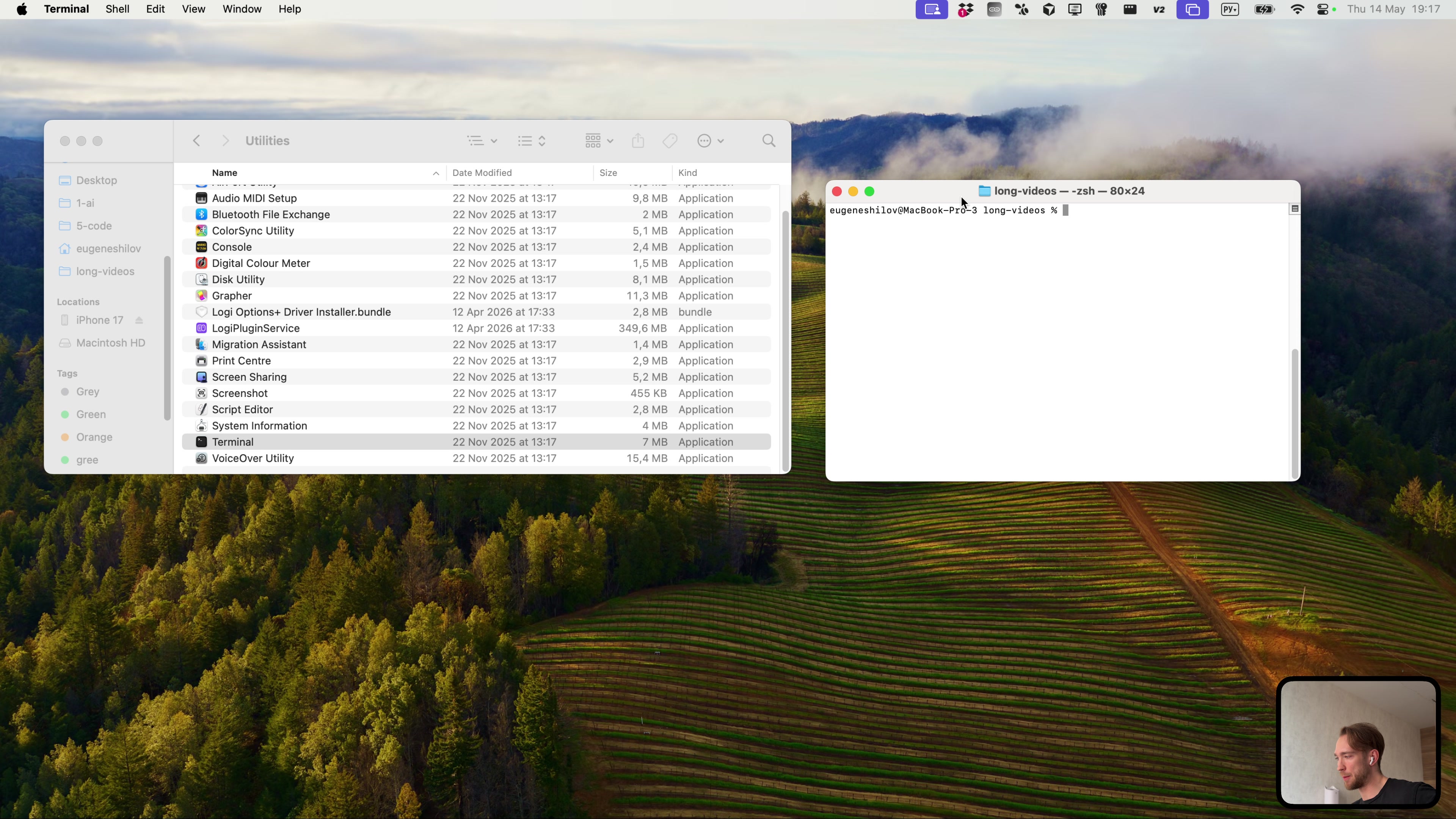 The terminal is hidden in Finder -> Applications -> Utilities
It sounds scary only until you open it. Inside is a regular window you can type in. That's it.
Installing Claude Code
Installation is one command. Go to the official Claude Code website, copy the command, paste it into the terminal, press Enter. Done.
After installation, run:
claude
And you're in. You can talk to it right away - type "hello," and it will reply. In Russian, English, whatever you like.
Which sign-in to choose
On its first launch, Claude Code will offer three ways to sign in:
- Claude subscription - what almost everyone needs
- Anthropic Console - pay per token, ruinous with active use
- Third-party - for specific cases, you don't need it yet
Choose the subscription.
How much to pay
Plans: $20, $100, and $200 per month.
I'll be blunt: get $100 (Max). The $20 plan runs out after a couple days of real work, and you'll be sitting around waiting for the limit to reset - annoying. But at $100, the magic begins: I use roughly $500 worth of tokens and pay $100. Anthropic is still subsidizing this pleasure. Nobody knows how long that will last, so use it while you can.
Not ready to spend $100 right away - try other tools, Cursor for example. But once real production code starts, come back to Max. It pays for itself with the first project.
Cursor as a wrapper
Next, a non-obvious move. Claude Code works in any terminal - but I run it inside Cursor. It's another vibecoding app, a full-featured IDE. So you get two tools at once. Why?
Convenience. Cursor gives me a built-in terminal and a proper file viewer in one window. Claude Code works on the left in the terminal, while on the right I can see files appearing and code changing in real time. I'm not trusting it blindly - I see exactly what it's doing.
Open a new project in Cursor -> View -> Terminal -> then run Claude Code there. But not just claude, like this:
claude --dangerously-skip-permissions
This flag means "don't bother me with questions over every little thing, do it yourself." Claude Code stops asking for permission for every action and simply works. It sounds dangerous - and the name honestly warns you. But I trust it more than I trust myself. If you're building your own project rather than poking around someone else's production app at a big company - go for it.
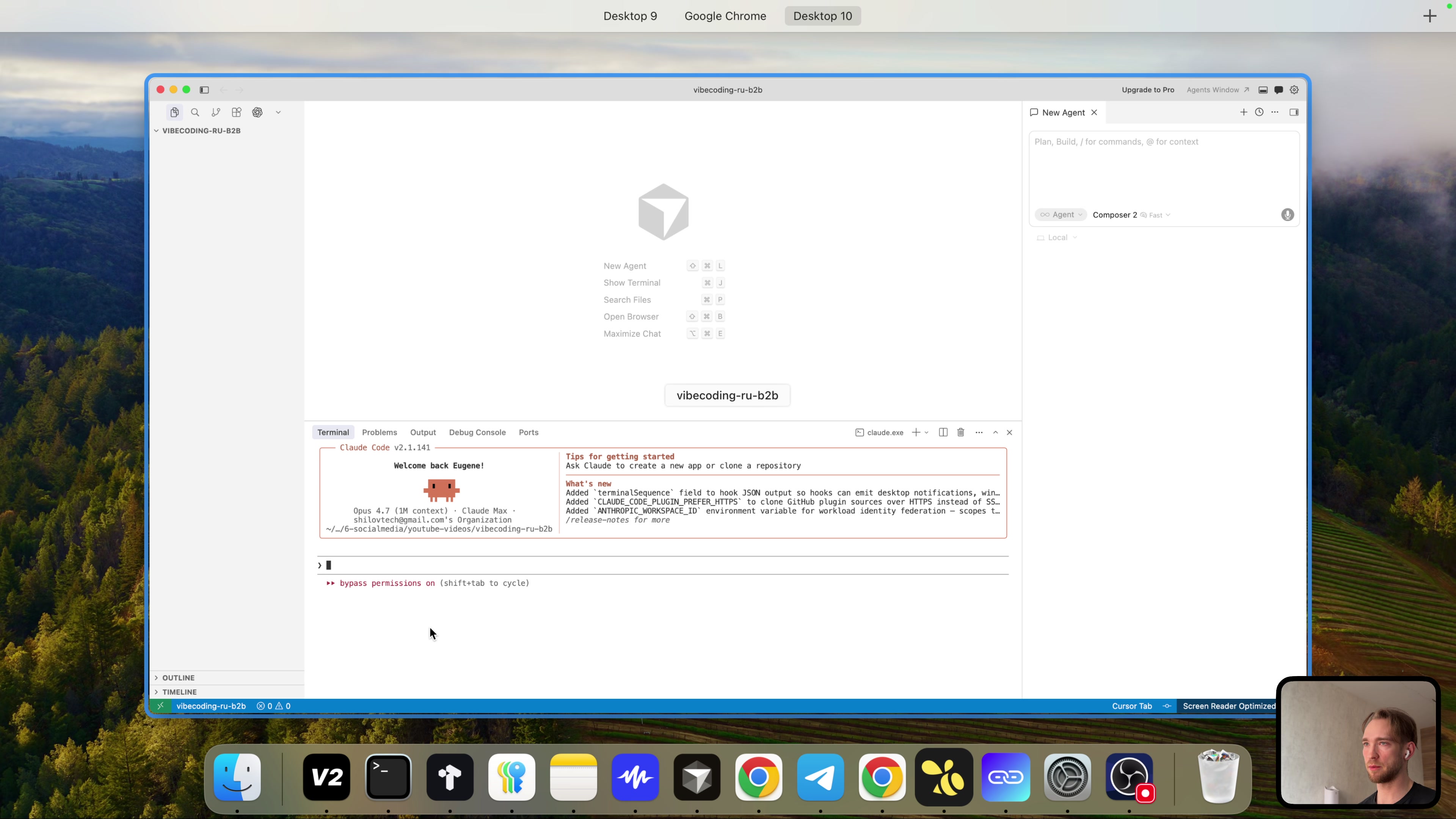 Claude Code running inside Cursor
From this point on, we have a workspace. Setup complete.
SDLC: from idea to production in one go
Before building anything, here's the framework I always use. It's called SDLC - Software Development Life Cycle. Six steps, the same whether you're building a landing page or a startup.
| Step | Stage | What happens |
|---|---|---|
| 0 | Setup | Install tools, prepare the environment |
| 1 | Vision | Decide what we're building - both the visuals and the copy |
| 2 | Architecture | Choose the tech stack |
| 3 | Build | Build it |
| 4 | Deploy | Ship to production |
| 5 | Iterate | Catch bugs, fix them, repeat |
Remember these six words. Watch this video, do nothing for six months, then sit down to code - remember SDLC and go in order. This framework removes the paralysis of "where do I start?" That's what kills most projects, not the complexity of the code.
Slash commands: the 20% that delivers 80%
Claude Code has tons of capabilities, and going through all of them is a waste of time. I'll show you the ones I actually use.
Type / in Claude Code and a list of commands appears. The names speak for themselves, with descriptions next to them.
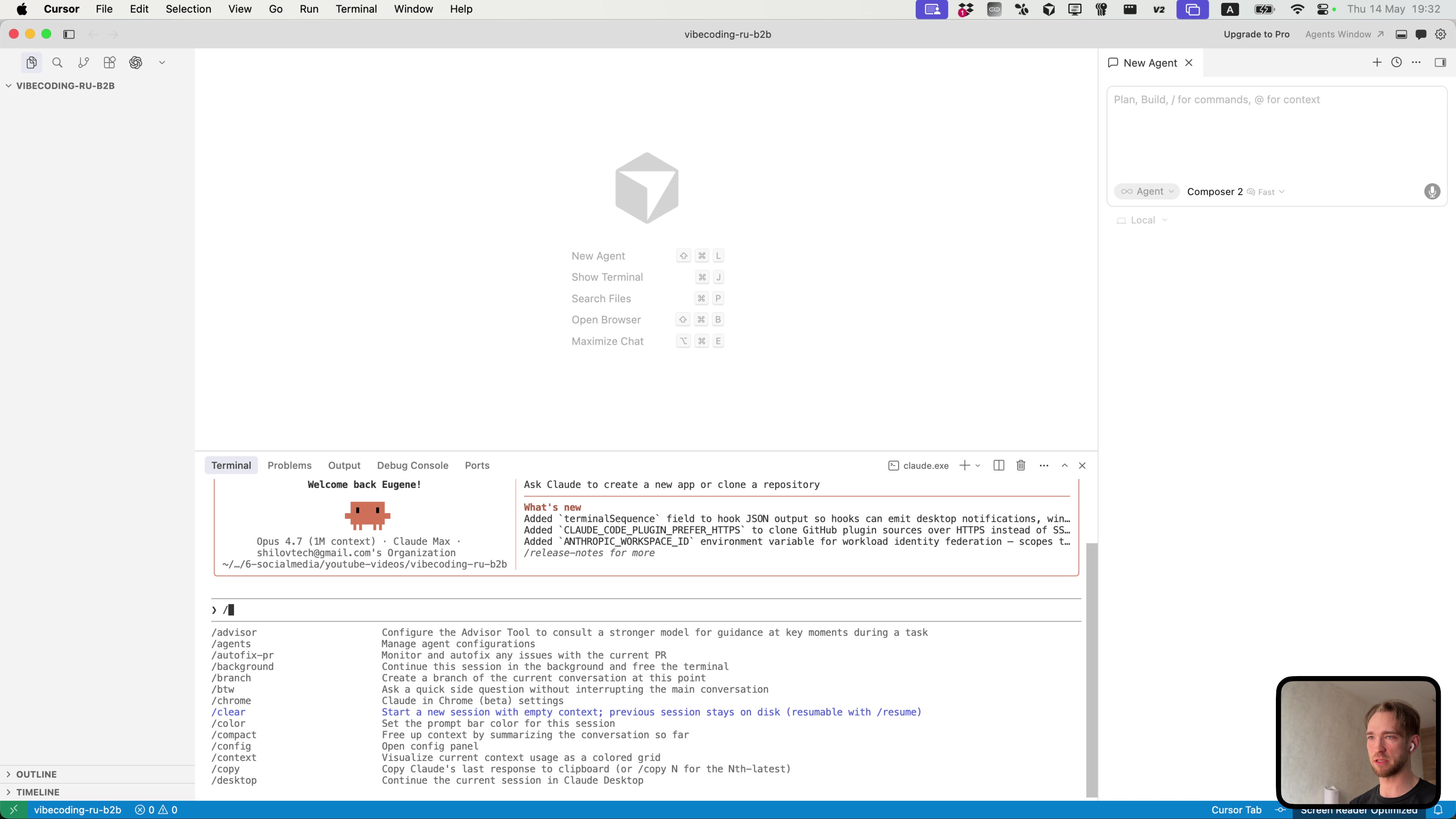 Slash commands: everything you need at hand
Here's the practical minimum:
/resume- return to an interrupted conversation. The app crashed, you accidentally closed the terminal, your computer restarted - don't panic. The logic is simple: if you were doing something, there should be a "back" button. There is, it's/resume. Select the previous chat and continue from the same place./chrome- work with the browser through the Chrome extension. Claude Code opens the page itself and looks at it with its own eyes./compact- compress an overgrown context when the conversation gets too long./clear- start with a blank slate. The old session doesn't go anywhere, you can always bring it back through/resume.
There are also custom commands. For example, I have /vercel-fix: I deploy, something breaks - I run the command, and it goes to Vercel itself, reads the logs, comes back, and fixes it. Without me.
MCP - the superpower nobody talks about
MCP (Model Context Protocol) is a way to connect external services to Claude Code. I always keep Playwright enabled through MCP. What it gives you: Claude Code opens Chrome itself, clicks around the page, sees what happened, spots an issue - and goes to fix it. By itself. This isn't a conference demo, this is how I actually work every day.
A real case: building a b2b page
Theory is over. We're making a real page - vibecoding.tech/b2b. The task: collect leads for corporate AI development. A business comes to me, I find a suitable contractor for their task and budget, and connect them. I act as a router between companies and developers. That's what the page is for.
Let's go through every SDLC step.
Step 1 - Vision
I prepare the prompt in advance from two parts:
- Visual instructions - how the page should look.
- Copy - exactly what it says, word for word.
The full prompt is in my Telegram channel - take it and adapt it for yourself. At this stage, I don't write code, I just clearly decide what I'm building in the first place. Half the success is here.
Step 2 - Architecture
Stack: Next.js (App Router) + Tailwind CSS. The page is frontend-only, no backend needed - two technologies are enough. We'll store the code on GitHub and deploy through Vercel.
I'm doing this from scratch; I cover how to add it to an existing project on a Russian stack in personal coaching. Here, to keep the experiment clean, we're building from a blank slate.
Step 3 - Build
I send the prompt. Claude Code doesn't rush into coding right away - it's in planning mode and asks clarifying questions. Which theme? I answer: "pure black and white." Which copy? "The copy I gave in the prompt, word for word."
And it starts building. On the right in Cursor, files appear one after another. I used to check every line and proofread everything. Now I take it with a grain of salt and wait for the result - trust has grown. A small but telling moment: Opus 4.7 figured out on its own that Next.js 16 was needed, not version 15, which it initially wanted to install out of habit. I didn't tell it - it figured it out.
Then it opens Chrome itself through Claude-in-Chrome, looks at its own page, sees that something is off, and starts fixing it. Without a single word from me.
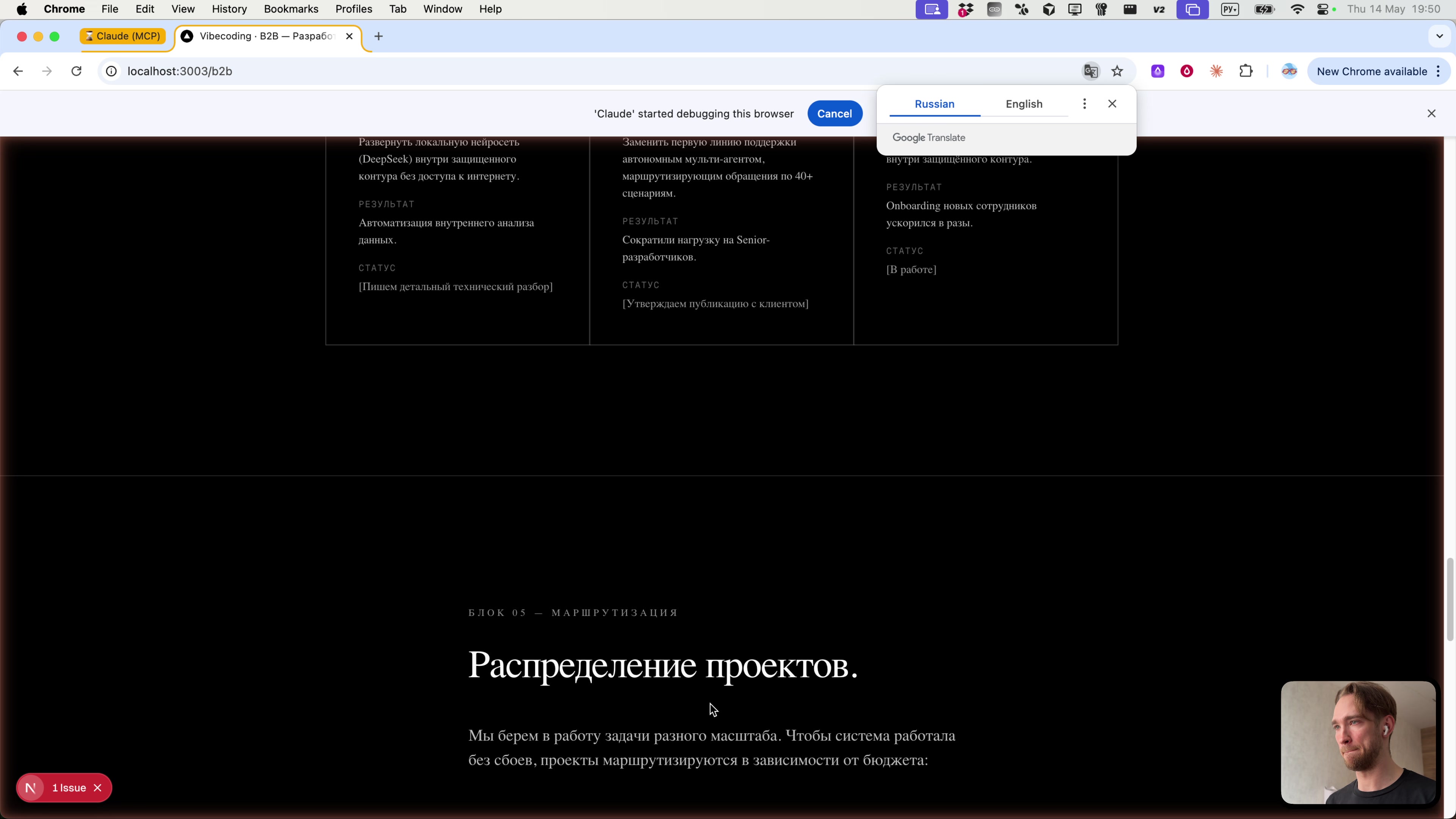 The b2b page is being built right before your eyes, locally
Step 4 - Deploy
We push the code to GitHub and connect Vercel. In theory, Vercel should recognize Next.js and deploy everything itself - it's its native technology, and it handles it perfectly.
But no such luck. Vercel doesn't see that it's Next.js. I investigate: Claude Code put the project not in the repository root, but in a nested folder. That's why Vercel doesn't understand what it's dealing with.
And this isn't a failure. This is step 5.
Step 5 - Iterate
Let's fix it. I copy the error from Vercel, paste it into Claude Code - it fixes it. The build fails again, new errors appear. And you know what? That's good. Errors are always good because they're specific: here's the log, here's the cause. Copy it, give it to Claude Code, and it resolves it.
This is the most important part of the whole process. Write this in big letters: something will always fail. Always. The question isn't whether deployment will fail - it will. The question is how quickly you'll get back up. With Claude Code - quickly, sometimes in one prompt. It's iteration speed, not "perfect code on the first try," that separates someone who gets a project to production from someone who gives up.
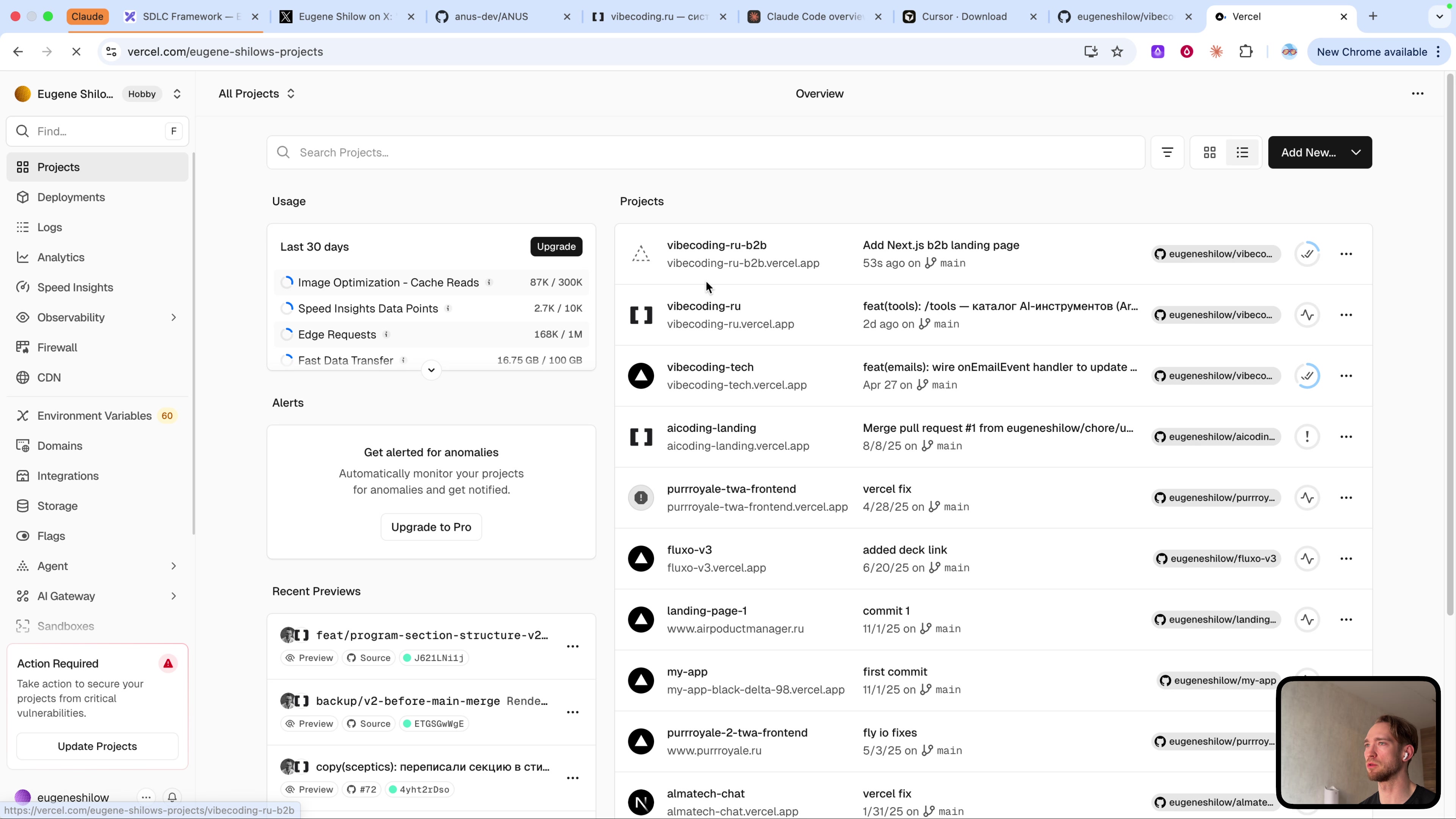 The project is deployed - visible in the Vercel dashboard
Summary
Let's put it all together. Here's the stack I work with every day:
- Claude Code - the engine, a market leader for good reason
- Cursor - a convenient wrapper for seeing what's happening
- SDLC - six steps that always work
- GitHub + Vercel - the path from your machine to the internet in five minutes
And one last thing about money. A $100 monthly subscription isn't an expense, it's an investment. You pay a hundred, and get many times more in return. Do the math: one project brought to production pays for a year's subscription.
Get it, sit down, build. And if you don't want to do it randomly but want a system - there's personal coaching: 3 months working on your product, enrollment by application.
Links from the video:
- Claude Code - official website, install it from here
- Cursor - the IDE we use as a wrapper
- Full prompt - in my Telegram channel
- Personal coaching - if you want to go deeper and follow a system