note · 30.05.2026
Is Claude Opus 4.8 eating your limits? I tested it on a real task
Claude Opus 4.8 in Claude Code, explained: how much high effort, ultracode, and Dynamic Workflows burn through, where the model is genuinely stronger, and how it turned a YouTube video into an SEO article.

Evgeny Shilov
text compiled by the editorial team's AI agents under the author's supervision · facts verified against primary sources 30.05.2026
Claude Opus 4.8 is out, and the internet immediately did what it does best: started measuring who burned how much money with a single prompt.
In some places, the model ranks first in benchmarks. Elsewhere, GPT still wins on value for money. Someone writes that Opus 4.8 “one-shotted my session usage limit” - consuming the entire session limit with one request. Someone else shows a run costing hundreds of dollars. Beautiful, alarming, clickable.
I decided to test this on something other than synthetic tasks. I took a real task: turn the previous video about Claude Code into an SEO article for vibecoding.tech. With text, images, metadata, design, and a natural human voice. Not “make a blog post,” but an almost production-ready task.
The short takeaway: Opus 4.8 is powerful. Dynamic Workflows are an interesting feature. It burns through limits if you give it a fork and say “eat.” But the main problem is not the price. The main problem is that without taste and oversight, even an expensive model will produce purple AI slop.
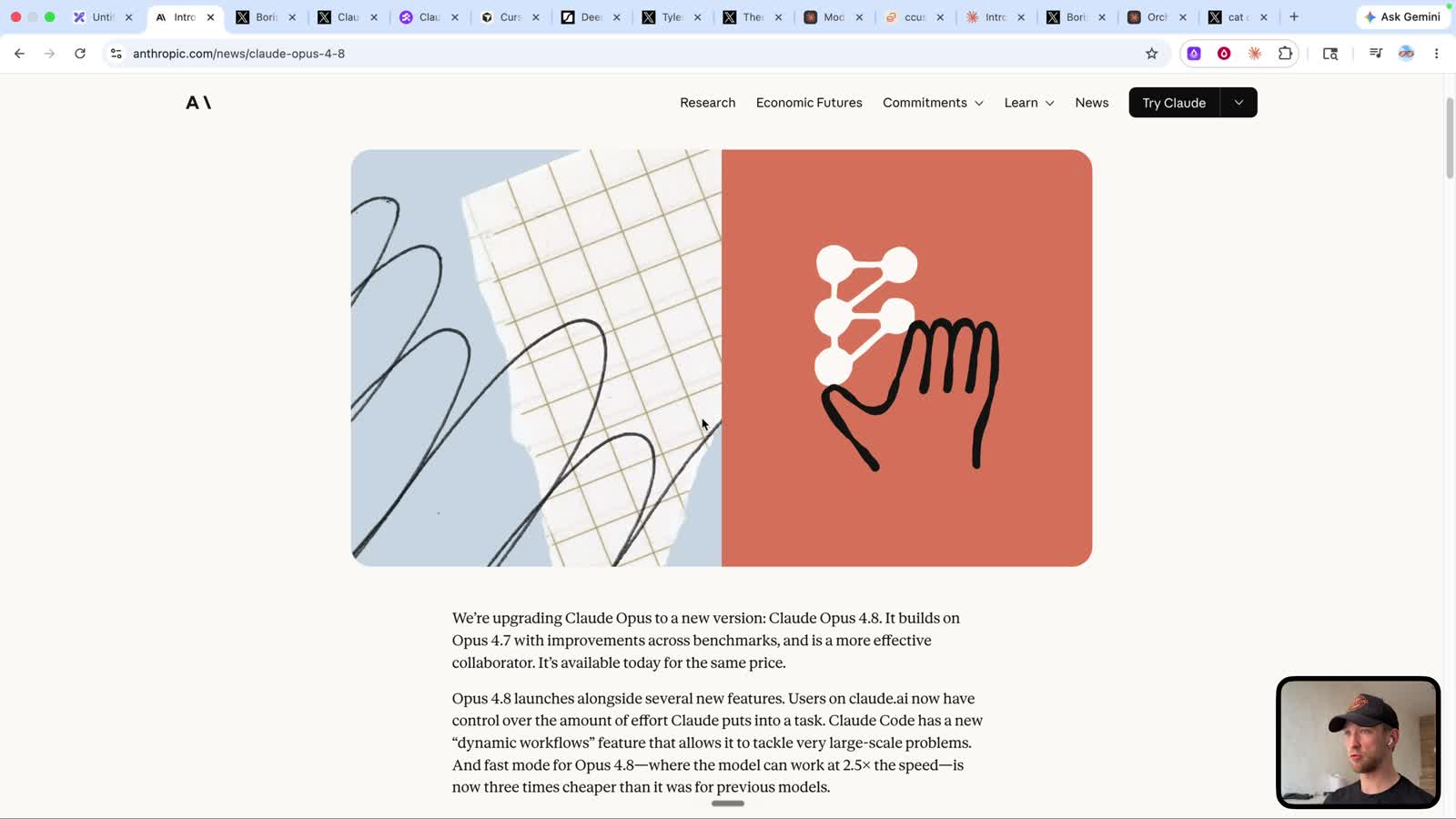 Opus 4.8 launched on May 28, 2026: Anthropic specifically highlights effort control, fast mode, and Dynamic Workflows
What launched in Opus 4.8
Anthropic released Claude Opus 4.8 on May 28, 2026. In the release, they talk about improvements in coding, agent tasks, and everyday work. They also emphasize that the model is better as a “collaborator”: less confidently wrong nonsense, more honesty about its own work.
This matters more than it seems. In coding, a model should not just write. It should understand when it is uncertain, when it needs to verify something, and when it should not rush ahead but stop and ask for a log.
Three things come up in Claude Code alongside this:
| Feature | What it means in practice |
|---|---|
| Opus 4.8 | A more powerful model for code, analysis, and large tasks |
| Effort control | You can choose how deeply the model thinks |
| Dynamic Workflows | Claude Code launches parallel subagents for a large task |
It sounds like a press release. In real life, it is simpler: the model got better, but it is more expensive to use when you turn on the heavy modes.
Why everyone is talking about limits
I started the video by saying: “they say one prompt in it costs like 200 bucks.” That does not mean every request costs 200 dollars. But the direction is clear: if you enable Opus, high effort, and Dynamic Workflows, tokens start flying fast.
Why this happens:
- Opus is heavier on its own;
- high effort makes the model reason longer;
- Dynamic Workflows launch several agents in parallel;
- each agent reads context, writes, checks, and sometimes argues with the result;
- in the end, you are not paying for “one answer,” but for a small team inside Claude Code.
In the official description of Dynamic Workflows, Anthropic explicitly warns that a workflow can use substantially more tokens because many subagents run in parallel. This is not a bug. It is the cost of parallel work.
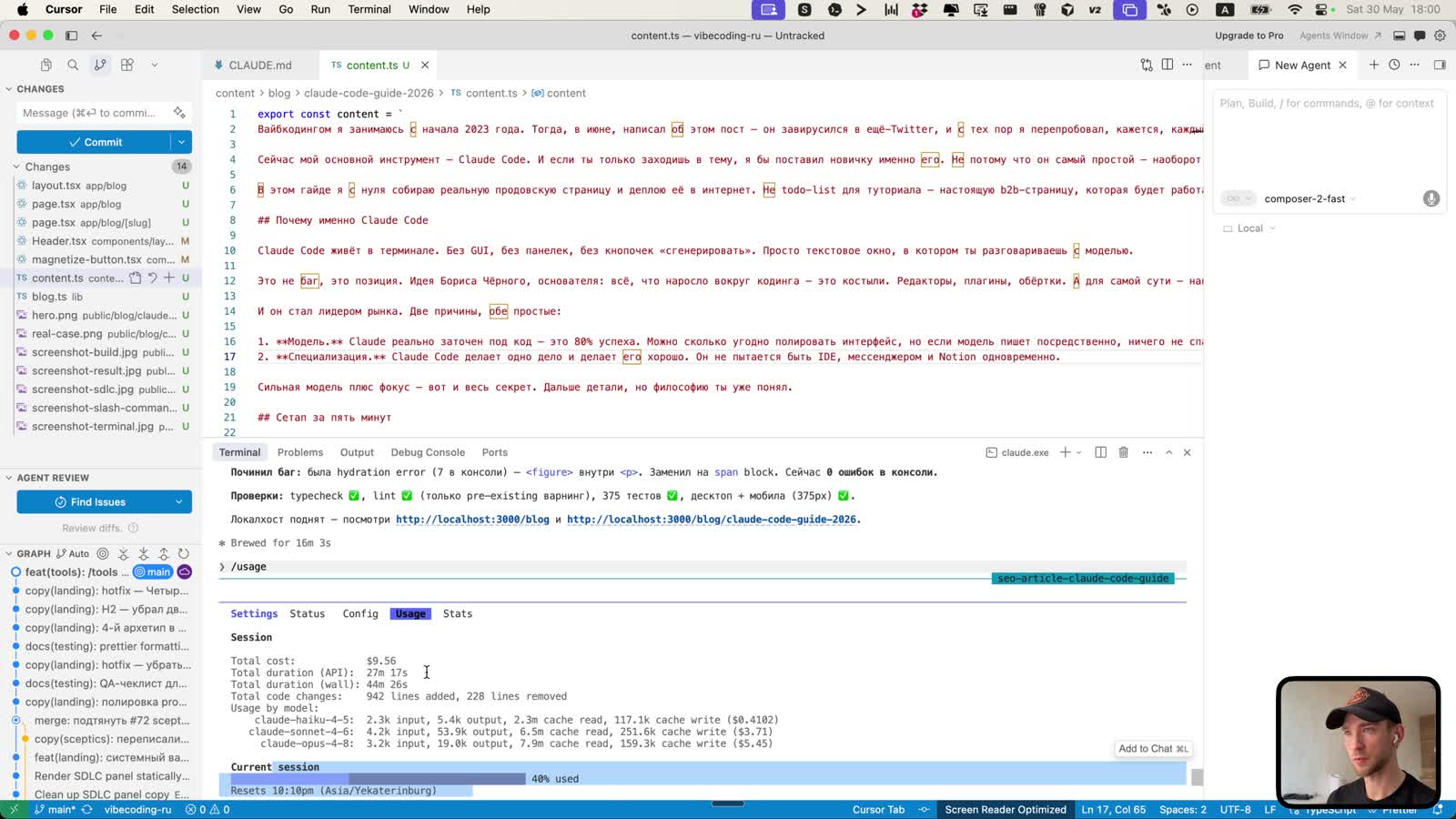 In my test, the session showed about $9.56 in estimated cost and 40% of the current session limit
In my case, after several iterations, usage showed an estimated cost of about $9.56. On a $20 subscription, that is already noticeable. Not a disaster, but not “free magic” either.
That leads to a practical rule: do not turn on Opus 4.8 for every tiny thing. If you need to fix a margin, do not call in an aircraft carrier.
Dynamic Workflows in plain English
Dynamic Workflows are a new Claude Code feature that sounds more complicated than it is.
A regular agent works linearly: it reads the task, looks at the files, fixes them, checks the result, and replies. A Dynamic Workflow works differently: Claude Code writes a plan, splits the work into pieces, and launches a group of subagents. One can review text, another design, a third SEO, and a fourth build errors.
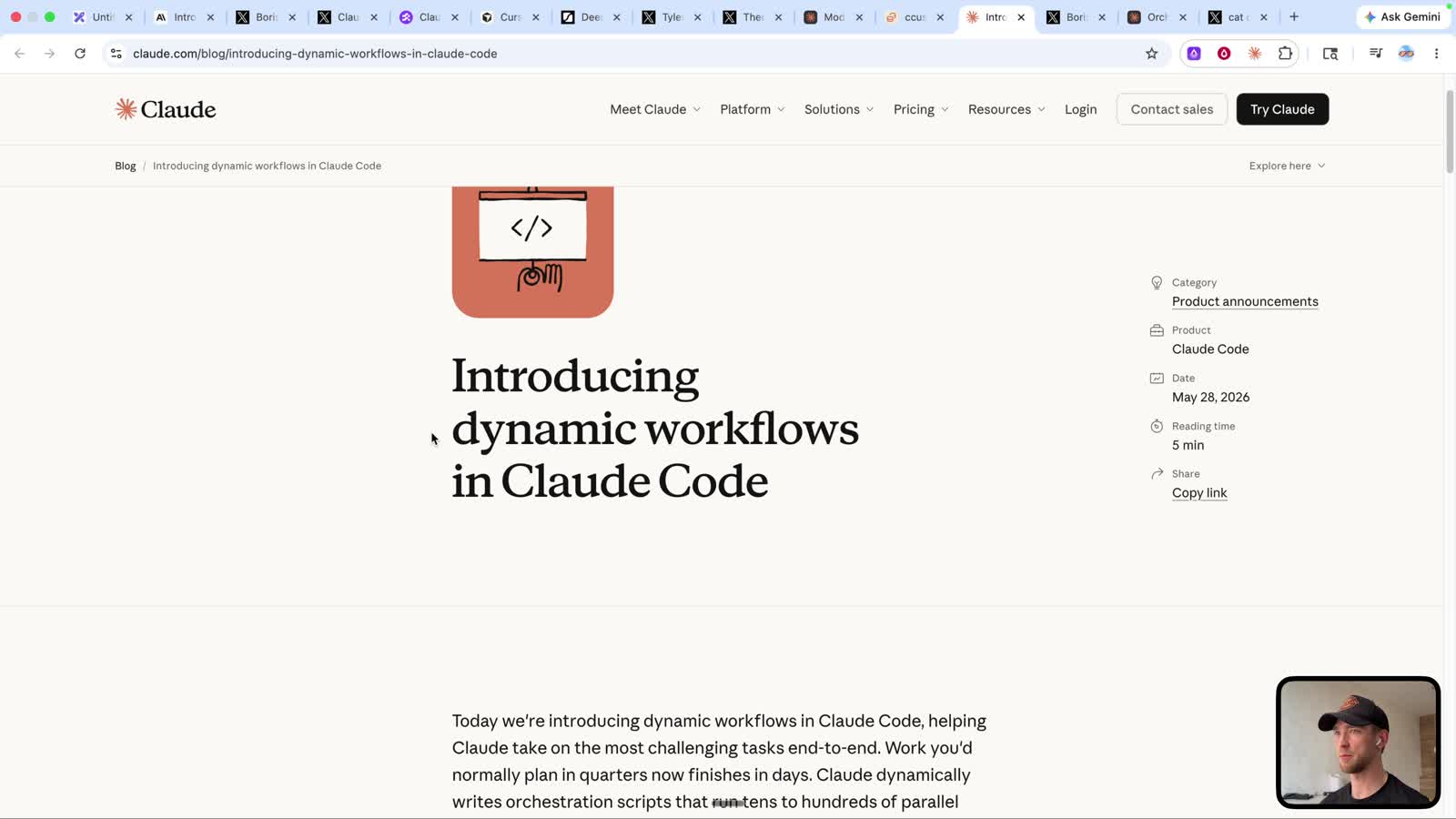 Dynamic Workflows in Claude Code: not one linear agent, but parallel work across multiple tracks
Anthropic positions this for large jobs: migrations, security audits, dead-code removal, refactoring, optimization, and bug fixes. In other words, tasks where a single pass is often blind.
In my video, the workflow was enabled for this task:
- Rewrite the article text.
- Redesign the visuals.
- Improve SEO.
- Fix the header button in parallel.
- Check the result.
This is where the feature truly makes sense. It is not one task. It is a set of related tasks that need text, interface work, metadata, and result validation.
Ultracode and effort: where the trap is
Claude Code has effort levels: low, medium, high, xhigh, max, and ultracode. In the current logic, ultracode is xhigh plus the model's right to decide whether a Dynamic Workflow is needed.
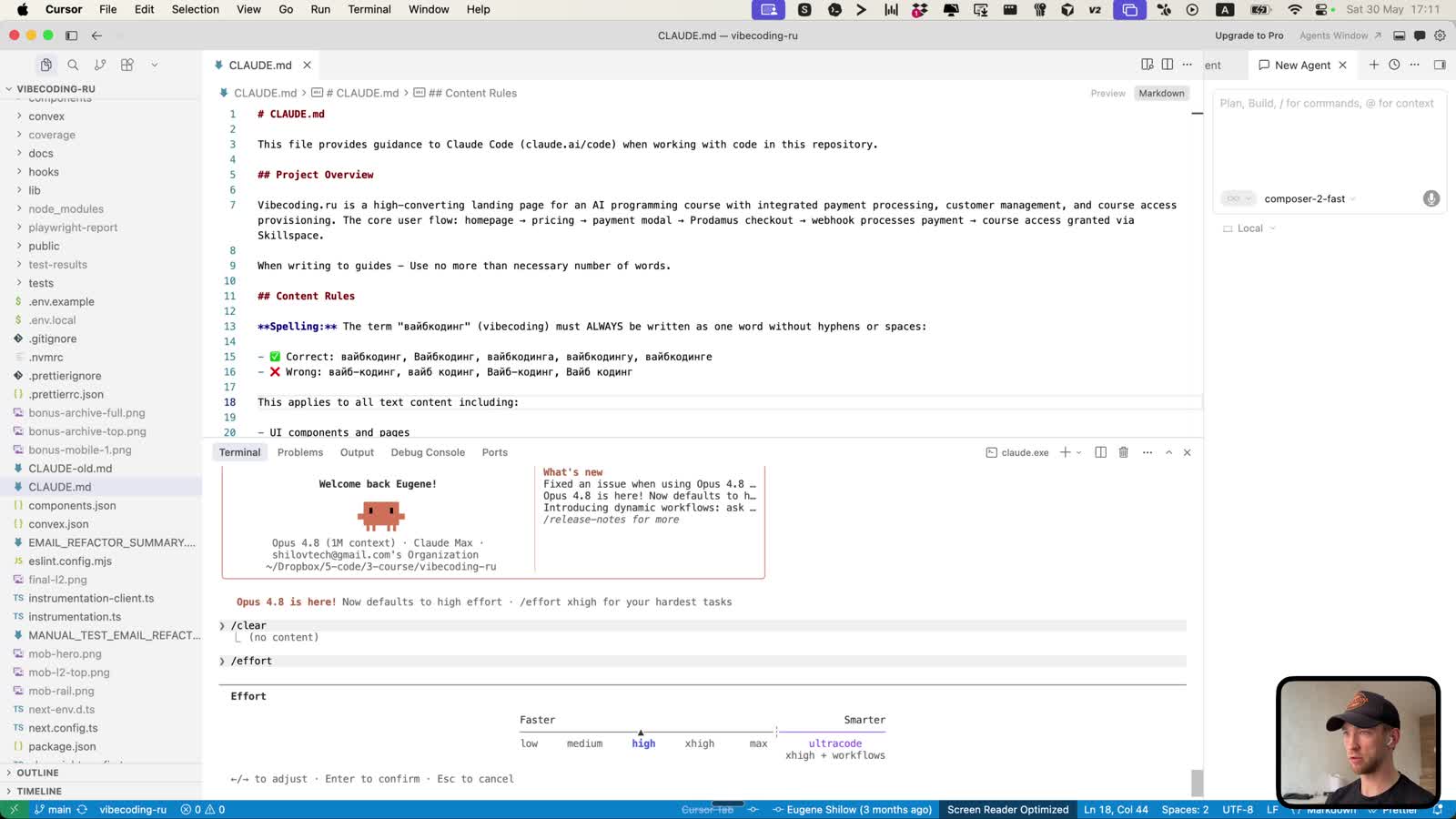 The effort menu in Claude Code: ultracode is xhigh plus workflows
The trap is that the interface can look like “just make it smarter,” while in reality you are enabling a mode where the model can spin up an entire mini-team.
I caught a funny moment in the video myself. At first, I thought I was testing Opus 4.8. Then I looked and, for some reason, Sonnet 4.6 was selected, and it was even marked recommended. It immediately became clear why the first result was so dull.
A paraphrased quote from the video: “it was not 4.8, Sonnet made it, and that is why everything looked so terrible.”
Before a heavy task, check three things:
| What to check | Why it matters |
|---|---|
| Model | Sonnet and Opus deliver different taste and depth |
| Effort | high and xhigh noticeably change consumption |
| Workflows | parallel agents can sharply increase the cost |
Otherwise, you will be angry at Claude Code when the problem is that you did not check which engine was under the hood.
Real test: turning a video into an SEO article
The task was not abstract. I took the previous video about Claude Code and asked it to turn it into an article for vibecoding.tech.
The requirements were:
- SEO optimization;
- preserve my speaking style;
- add screenshots from the video;
- add links mentioned in the video;
- make the article attractive, not like “an AI wrote it just to check a box”;
- integrate it into the site, rather than just tossing over markdown.
The first version looked bad. Not slightly bad, but the kind of “what even is this?” bad. The page was misaligned somewhere, the structure was weak, the text felt like a template machine, and the purple color was that exact color of AI slop. Do not do this.
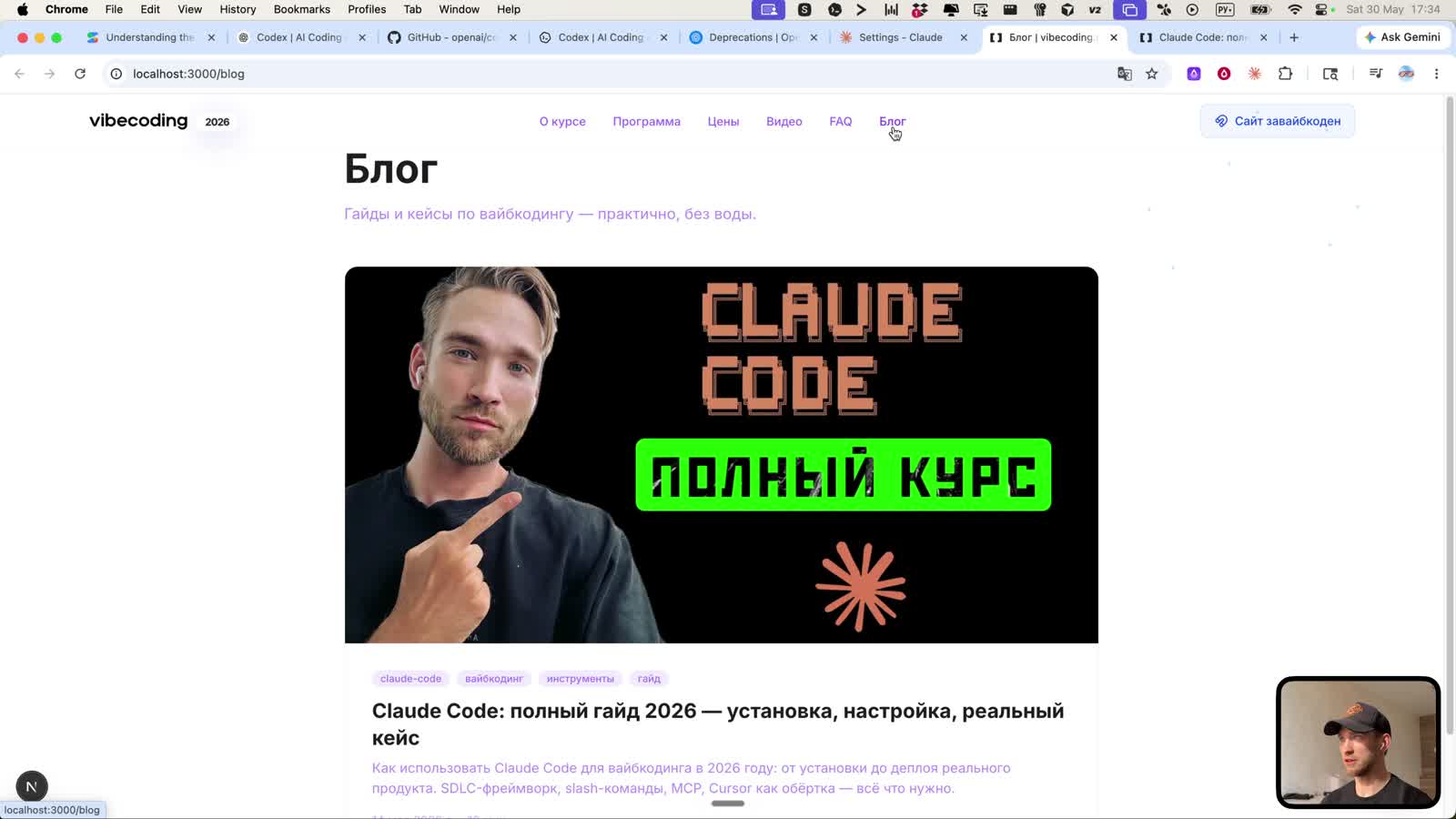 The first version was useful as a draft, but looked rough both visually and editorially
And that is normal. The mistake is not that Claude Code did not make it perfect. The mistake would be accepting it as the final version.
I gave feedback in plain human language: terrible, make it better, add structure, remove the purple, optimize for mobile and desktop, do not write like AI slop, preserve the style of a real person. Where a direct quote is inappropriate, write with confidence and clarity, like a proper editor.
After that, Claude Code suggested a workflow: text separately, UI separately, and the header button separately. That already started to look like work.
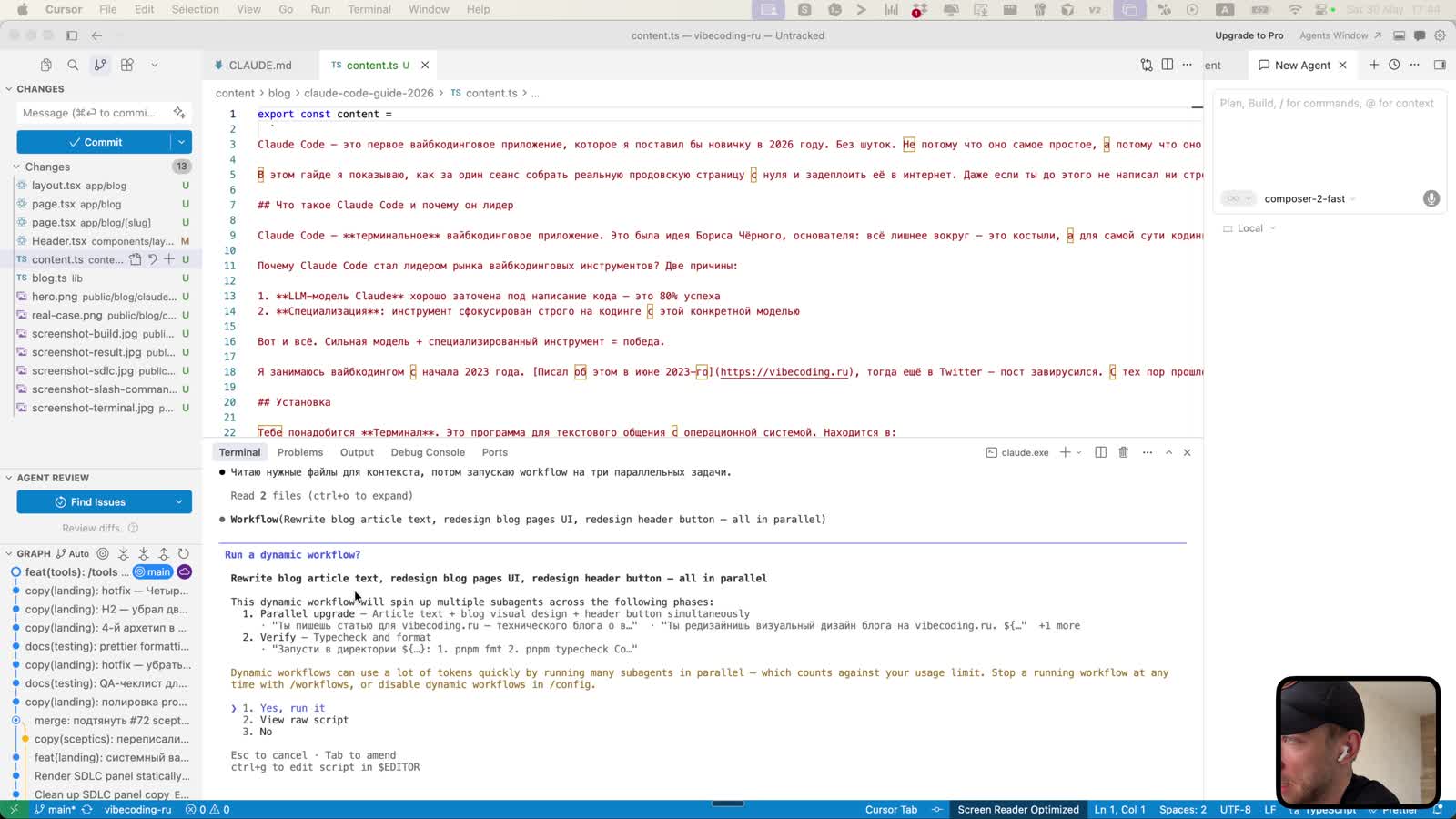 Claude Code suggested a workflow across three tracks: text, article design, and interface fixes
What the quality was like
After switching to Opus 4.8, it got better. Not perfect, but no longer embarrassing to look at. A structure appeared, the page became more sensible, the course CTA fell into place, and visually everything stopped looking like a random template.
But I still do not consider this the final “pressed a button - got an article” result. The more accurate conclusion is this:
Claude Code does second and third passes well. The first pass almost always needs criticism.
This is an important idea. The model may be powerful, but it does not know your taste until you show it. If you do not like purple AI slop, say so. If the text sounds like a “terminal application for development,” say that real people do not talk like that.
AI works well not when you pray to the first response. AI works well when you quickly turn a vague result into specific feedback.
Which prompt works better
Bad prompt:
Make an SEO article from a video.
Decent prompt:
Take this YouTube video and local mp4. Create a standalone SEO article for the blog. Preserve the author's voice from the video, but rewrite it as an article. Use natural phrasing, do not make AI slop. Verify facts using official sources. Add video frames, FAQ, metadata, VideoObject, and internal links. Check the page on desktop and mobile.
The difference is not cosmetic. In the first case, the model makes “an article in general.” In the second, it creates working material for a specific site.
For articles based on videos, I would always give the model this sequence:
- Extract the key points.
- Extract the author's phrases.
- Verify the facts separately.
- Build the SEO structure.
- Write a draft.
- Check whether it smells like AI slop.
- Insert frames and links.
- Check the page in the browser.
Half of the quality is in this process, not in the model name.
Where Opus 4.8 is actually needed
I would not turn on Opus 4.8 for everything. It is expensive and pointless.
| Task | What to choose |
|---|---|
| Small CSS fix | Sonnet, regular effort |
| Small component | Sonnet or Opus at high |
| Article with an authorial voice | Opus 4.8 at high/xhigh |
| Redesign plus SEO plus validation | Opus 4.8, plan mode, then workflow |
| Large migration | Dynamic Workflow or ultracode |
| Someone else's production project | Start with plan mode, without autopilot |
The main criterion is simple: use the expensive model where judgment is needed. Not just “write code,” but “understand what looks bad, what will break SEO, and what people will not read.”
Sonnet is fine for mechanics. Opus is for taste and complex connections.
The SEO lesson from this case
An SEO article from a video is not a transcript. A transcript by itself is nearly useless: it has repetitions, fragments, “okay-okay-okay,” and on-screen actions that make no sense without an image.
A proper article needs to do three things:
- preserve the author's energy;
- provide a structure that can be read without the video;
- add search value: headings, FAQ, sources, images, and internal links.
If someone arrives through the query “Claude Opus 4.8 burns through limits,” they do not need a press release. They need to understand:
- whether it really burns through them;
- why it does;
- when it is justified;
- how not to burn limits by accident;
- what to do in a real project.
That is what you need to write for.
Conclusion
Claude Opus 4.8 is a powerful model. Claude Code with Dynamic Workflows is no longer just a terminal assistant, but an agent environment that can parallelize work and genuinely speed up large tasks.
But the price of that power is tokens, limits, and the need to think for yourself. Ultracode without a reason is not “I am smart,” it is “I am about to pay a small team to change a button color.”
My conclusion after the test:
- Opus 4.8 is worth enabling for tasks involving quality, taste, and complex combinations;
- Dynamic Workflows are useful for large tasks, but they deserve respect;
- the first result almost always needs criticism;
- an SEO article from a video should be an article, not a transcript;
- Claude Code is good when you manage the process instead of waiting for magic.
Want a structured approach? There is personal coaching. It is not about “pressing a button,” but the full path: task, architecture, code, validation, deployment, and iterations. Enrollment is by application.
FAQ
Does Claude Opus 4.8 really burn through limits?
Yes, if you use high effort, ultracode, and Dynamic Workflows indiscriminately. In regular mode, consumption is manageable, but large workflows can quickly consume your limit.
How are Dynamic Workflows different from regular subagents?
A regular subagent is a separate role or assistant. A Dynamic Workflow is orchestration: Claude Code plans the work itself, launches many subagents in parallel, and assembles the result.
Should a beginner turn on ultracode?
No. For a beginner, it is more important to learn how to formulate a task, read a diff, run a project, and fix errors from logs. Ultracode is for tasks that are genuinely large.
Can you create a good SEO article from a YouTube video with Claude Code?
Yes. But you need to provide source materials, a transcript, voice requirements, an SEO structure, images, sources, and quality criteria. And you must check the result with your own eyes.
Why was the first Claude Code result bad?
Because the model initially made a formally correct but editorially weak page. Also, at one point Sonnet was selected instead of Opus 4.8. After clear criticism, changing the model, and using a workflow, the result became noticeably better.