
QuiverAI
The model writes the logo directly as SVG code; vector is its only output.
Entry from $8
Go plan per month, 14-day trial with a card, no free plan
In-house model
Arrow family, Arrow 2 in the app
From Russia except payments
Site accessible; pay with a foreign card
Closed source
Only SDKs and plugins are open; weights are not published
Choose it if you need a logo or icon as a clean SVG file and have a foreign card. Do not choose it if you expect a free plan or Russian language support: there has been no plan since 16.09.2026, and there is no language support at all.
QuiverAI is a site where the Arrow AI model draws a logo, icon, or illustration not as an image, but directly as an SVG file that can later be edited point by point in any editor. Describe it in words or upload a sketch, and the model writes the drawing code line by line, like a program, while you watch the vector take shape. The same file can be animated: Arrow 2 has animation for existing shapes. Do not confuse it with namesakes: in search, "quiver" is fishing tackle, while Quiver Quantitative sells company data to investors. The company came out of stealth on 25.02.2026 with a16z funding, the app is still labeled "public beta", and the free plan disappeared from it on 16.09.2026. This card explains what it can do, what a week of work costs, whether it works from Russia, and how it differs from Recraft.
Where QuiverAI sits on the big AI map
Nearby: Recraft·Midjourney·Ideogram·+ more 5
1. Should you get it
There are two things to consider: whether you need a file rather than an image, and whether you are ready to pay with a foreign card from day one. There is no free entry, but vector here is not a mode, it is the only output.
Of six common requests, three work, two hit a refusal, and no one has tested one yet.
What people want from QuiverAI
Scenarios — based on suggestions and Wordstat for mature analogs, Russia region, 17.09.2026; direct demand for the subject is 40 queries per month, analog frequencies are not attributed to it
Who it is for. For those who need their logo or icon as a file that opens in Illustrator or Figma and can be moved by its points: describe it in words, get an SVG, edit it on the canvas, export it. And for those building a site with an agent: QuiverAI has its own MCP server, plugins for Cursor and Codex, and a command that puts a finished SVG directly into a React project.
Who else. For those with a pile of sketches and raster logos: the product's second operation turns an image into a vector, and in ComfyUI Arrow is a separate node after the raster model.
Who it is not for. For those looking for a free AI logo maker: since 16.09.2026, entry costs $8 per month, and even the trial asks for a card. For those who need a Russian interface or Cyrillic text: there is no language option, and the vendor says nothing about Cyrillic. And for those who need an image rather than a file: QuiverAI does not create raster images at all.
A fit: section 3 takes you from entry to your first file. If you are choosing between it and the studio Recraft, see the decision point in section 7.
2. What QuiverAI can do
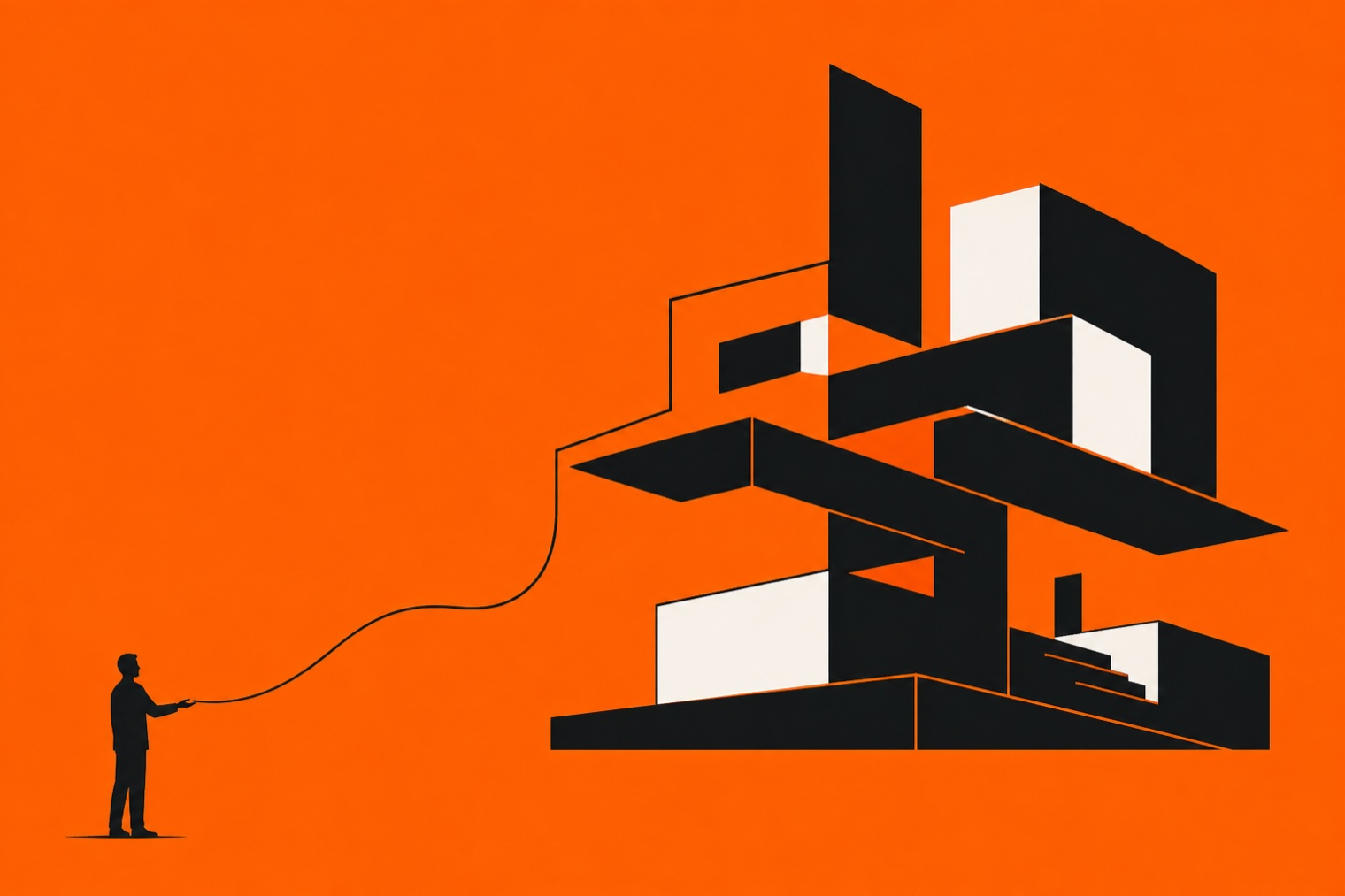
The main difference is visible in the video above the card: the model does not draw pixels, it writes SVG code line by line, and the image is assembled from that code. The vendor calls this “visual code generation.”
Four operations. Text to SVG, image to SVG, editing a finished file with words, and animation. Describe a logo, attach reference images, get several variants; the API supports up to sixteen files and up to fourteen references per request, according to the model page.
Upload a sketch or PNG, get a vector with points along the outline. All of this is available in the app and API, at addresses in the same family.
Chat and canvas. Since 16.09.2026, the app starts with a conversation: describe it, the model streams the drawing, and every result remains a “creation” you can return to. Open it on the canvas, select and duplicate an element, undo through history, zoom in. Animation is also on the canvas, and the video plays without leaving the page. Export to SVG, PNG, JPEG, WebP, and MP4 if the browser supports it; available formats depend on the plan.
Models. Since 16.09.2026, the app has one model, Arrow 2, while Arrow 1.1 and 1.1 Max remain in the API at a fixed price per file. Arrow 2 Telos differs from Arrow 2 only in context window, one million tokens versus 131 thousand, and costs half again as much; the vendor recommends it “for work that Arrow 2 finds difficult.”
Animation moves shapes already in the file; it does not draw new ones. The complete model and pricing list is in the FAQ.
For agents. The vendor MCP server at app.quiver.ai/mcp, with OAuth sign-in, gives an agent six tools: model listing, generation, vectorization, task checking, gallery, and file contents. It connects from Cursor, Codex and Claude Code with one command, and the npx quiverai command places a finished creation into a React project as a component.
One caveat: as of 17.09.2026, the MCP docs still say only Arrow 1.x works through this connection and there is no animation, while the vendor itself acknowledges in its plugin docs that the instructions lag behind the app.
Russian. There is no Russian interface; the website and app share one locale. The vendor says nothing about prompts in Russian.
The same applies to Cyrillic text: the docs' only advice on text inside an image is in Latin script, while the “Typography” section on the homepage is labeled “Coming soon.” We have not tested it ourselves.
What the vendor itself shows. The video above the card is clipped from the Arrow 1.1 post dated 16.04.2026: in the “Vectorize” window, SVG code flows at the bottom while the outline of a double-breasted coat is drawn on the canvas from it, then the “Regenerate” and “Use as reference” buttons appear. This is the spring 2026 interface; the current chat and canvas are shown in this section's second frame. We have not run QuiverAI on this task ourselves.
3. Where it works and how to start
One door, the browser, and a second one for developers, the API. There is no desktop program or phone app, and the site opens from Russia; only payments are unavailable.
Step 1. Open app.quiver.ai. A test on 17.09.2026 from two Moscow and one Saint Petersburg node gave the same responses as from Germany and the US, and quiver.ai is not in the blocked-domain registry. If the quiver.ai homepage does not open, open the app directly: one of three Russian nodes failed to reach the homepage four times, while app.quiver.ai and the docs responded from the same node; we did not determine the cause. If that does not help, change your Russian IP address to a foreign one, American, Dutch, or any other.
Step 2. Create an account: an email code or Google sign-in, no password or phone number, age 18+. You can browse the showcase of other people's work without signing in.
Step 3. Link a card. There is no free plan, and the 14-day Go trial starts only with a card; Stripe checkout charges in dollars, so you need a foreign card. Getting a foreign card is covered in guide to paying for AI services from Russia.
Step 4. Write what you need in the field or upload a sketch. The model streams the drawing, the result opens on the canvas, exports to SVG or PNG, and can be shared with a public link. The weekly counter shows how much usage remains until Monday.
Where QuiverAI works
Steps verified on 17.09.2026 against the live storefront and sign-in screen, vendor docs, an access test from Russian nodes with two checks, registry exports, and address whois; behavior after signing in from a Russian address and payment were not checked
4. What the tests show
There is something to measure, but not the new model: Arrow 1.0 is on the SVG arena, while Arrow 2 has not been entered there yet. The vendor publishes no benchmarks, and demand in Russia is still tiny.
What is known about the scale
What this means. The product has been public for seven months, since 25.02.2026, and the Russian-speaking audience has not yet given it its own name: in Cyrillic, "quiver" searches return fishing tackle, "quiver neural network" is suggested by neither Yandex nor Google, and only Google knows the "neural network quiver" tail. But the task itself is alive: nearly two thousand monthly searches are for creating a logo with a neural network, and seven out of ten suggestions include the word "free."
Quality. The only independent measurement is Design Arena's SVG arena, where models compete blind in pairs. As of 17.09.2026, Arrow 1.0 ranks twelfth of 117 there with a rating of 1297, Arrow 1.1 Max is thirteenth, Arrow 1.1 is thirty-seventh, and leader GPT-6 Astra scored 1496; Arrow 2 and Telos are not listed on the arena, and Arrow is absent from the logo arena entirely.
The vendor has not stated a single performance figure in its entire history: the Arrow 2 post says "faster generation" without percentages. The "1583 Elo" figure circulating in reviews conflicts with the live arena, so it is not included here. The featured tool does not yet have an Index score, the line below its name says "not yet measured," and the full tool ranking is on the general page.
Who is discussing it. Zero articles on Habr, two vendor posts on Hacker News received zero comments, there is no Product Hunt page, and there are no reviews on G2 or Trustpilot. Only engineers are active: on 16 and 17 September 2026, several issues for the QuiverAI provider were opened in the Vercel AI SDK repository, while the "Popular Creations" storefront is sustained by a dozen authors, including the vendor's own account.
5. How much it costs
Entry is $8 per month for the Go plan, the cheapest entry among vector generators. More expensive than the subscription is the uncertainty: the vendor does not promise how many images a week provides.
Currency. The subscription is measured not in images or credits, but in dollars of weekly usage: Go provides $5, Basic $15, Pro $40, and the remainder expires every Monday at midnight UTC. If it runs out sooner, charges come from the prepaid balance, or you wait until Monday.
Since 16.09.2026, the app has run on Arrow 2 with token pricing, and the vendor does not publish token usage per generation. The only reference point from its own docs: a request with 10 000 input and 2 000 output tokens costs $0.08, and one finished file may require several such requests.
Plans. Go is $8 per month with a 14-day card trial, Basic is $20 and marked "Most popular" with three times the limit, Pro is $40 with eight times the limit, and Enterprise is on request with volume discounts of 10, 15, and 20 percent.
Annual billing comes to $60, $192, and $384 per year, and annually Go is labeled "$5/month": its discount is not the 20 percent from the badge, but 37.5.
API. A separate wallet: the app subscription is not spent in the API, nor is the API balance spent in the app. The default minimum top-up is $10, purchases expire after a year, and $1 is held before each request on a token model.
Arrow 2 costs $4 per million input tokens and $20 per million output tokens, Telos costs $6 and $30. Arrow 1.1 is charged by file: $0.20 per generated SVG and $0.15 per vectorization; 1.1 Max costs $0.25 and $0.20. Test keys are free: they return a prepared response without touching the model.
How pricing changed. In March 2026, the pricing page promised "20 SVG per week free"; in May, the free tier received 200 credits per week, or ten Arrow 1.1 images, and on 16.09.2026 the free tier disappeared along with the move to Arrow 2. Reviews about "10 trial files" and directories listing "Free $0" describe the old structure.
Paying from Russia. Stripe checkout, amounts only in dollars, and a foreign card is required. There are no ruble storefronts: the vendor has no apps in the App Store or Google Play, and no intermediaries with pricing specifically for QuiverAI were found in Russian search results as of 17.09.2026. Options with a foreign card are covered in the guide to paying for AI services from Russia.
Refund. Terms dated 25.03.2026 say all payments are non-refundable except where a refund is required by law. Cancel through the Stripe portal in billing, access remains until the end of the paid month, and when downgrading, the new limit takes effect in the next cycle.
App plans
Prices verified on 17.09.2026 against the live pricing page, vendor API and app pricing docs, the changelog from 16.09.2026, and Wayback snapshots from March and September; the weekly counter was not checked on a live account
What we checked and how
| Fact | What we know | Verified |
|---|---|---|
| Go $8, Basic $20, Pro $40; the monthly view is open by default | quiver.ai/pricing (17.09.2026): "Plans start at $8/month. Upgrade when you need more."; cards "$8 /month", "$20 /month", "$40 /month", "Custom"; Monthly toggle with `aria-checked="true"` | 17.09.2026 |
| Weekly dollar limit, resets Monday, no rollover | Same page, Compare features table: "Included weekly usage $5 · $15 · $40 · Custom", "Resets every monday UTC (no rollover)", "Overage via prepaid balance + optional auto-top-up"; FAQ: "resets every Monday at midnight UTC with no rollover" | 17.09.2026 |
| No free plan, 14-day trial only with a card | Same page: "14-day Go trial (card required)" row with a plus only for Go; not a single $0 card. Wayback snapshot 08.09.2026: "Start free with 200 weekly app credits", "Free $0 /month"; changelog 16.09.2026: "Arrow 1, Arrow 1.1 and Arrow 1.1 Max are retired from the App" | 17.09.2026 |
| API: Arrow 2 $4/$20, Telos $6/$30 per million tokens; Arrow 1.1 $0.20 per file | docs.quiver.ai/developers/pricing: table "Arrow 2 $4.00 · $0.40 · $5.00 · $20.00", "Arrow 2 Telos $6.00 · $0.60 · $7.50 · $30.00"; "Arrow 1.1 $0.20 · 20 credits / $0.15 · 15 credits"; "Arrow 1.1 Max $0.25 / $0.20"; "the default minimum purchase is $10"; "purchased credits expire 1 year after purchase"; "$1 of balance is temporarily held before the request runs" | 17.09.2026 |
| The vendor does not promise how many images per week | docs.quiver.ai/app/pricing: «The exact number of SVGs you can generate depends on which model you use»; docs/developers/pricing: «a request using 10,000 uncached input tokens and 2,000 output tokens … costs: Arrow 2 … total $0.08»; «producing one final SVG can incur several charges» | 17.09.2026 |
| Stripe checkout, dollars, no refunds | Terms of Service (Last updated: March 25, 2026): "QuiverAI may use Stripe, Inc. … as our Payment Processor"; "all fees are in U.S. Dollars and are non-refundable, except as required by law"; cancellation "through the Stripe customer portal"; iTunes Search for "quiverai" on 17.09.2026 - not a single vendor app | 17.09.2026 |

6. Can QuiverAI be trusted
Three questions: who owns the output file, whether the model trains on your requests, and how mature the product is. Answers: yours, yes by default, and still beta.
Who owns the file. Terms dated 25.03.2026 assign the result to you: the vendor makes no claim to your content and transfers all of its rights in generated output to you. The only caveat concerned the free tier, where output was allowed only for personal use, but there has been no free tier since 16.09.2026. Usage rules require not misleading people about artwork being made by a neural network and not copying others' marks.
Training. The vendor's security page names three storage modes for requests and outputs, and the "allow storage and training" mode is the default for new organizations. Opting out is available through one "Improve QuiverAI" toggle in the developer panel, and only the organization owner and admin can change it. Prompt text and files are not written to the request log, and data is stored in the US.
Beta and docs. The app is labeled "public beta" right on the sign-in screen, MCP and plugins are marked "Beta" in the docs, there are no SOC 2 or ISO 27001 certifications, and the vendor says so itself: "we would rather say this than imply otherwise." There is no status page, support is on Discord and email, and the agreement removes the vendor's obligation to support the service. Docs lag behind the product by at least a day: on 17.09.2026, the MCP doc still described connecting to the Arrow 1.x app.
Agreement. QuiverAI is the contracting party, with an address in Montreal; California law applies; disputes go to Santa Clara County; accounts are for ages 18+. It says just one thing about countries: the service is intended for visitors from the US, and outside the US the vendor promises nothing. The terms say nothing about Russia, sanctions, or restrictions.
Who owns what
What we checked and how
| Fact | What we know | Verified |
|---|---|---|
| The result is delivered to you | Terms of Service (Last updated: March 25, 2026), §8.2: «QuiverAI does not claim ownership of your User Content and QuiverAI disclaims ownership of your Generated User Content. QuiverAI hereby assigns to you all of its right, title, and interest, if any, in your Generated User Content»; §5.2: «If you are subscribed to our free tier, you may use the Service and any content Generated … solely for your personal, non-commercial, non-revenue generating purposes only» | 17.09.2026 |
| Training on data is enabled by default | quiver.ai/security: «Allow storage and training — Inference inputs and outputs may be stored and may be used to improve QuiverAI models. This is the platform default for new organizations»; docs data-controls: «The one manageable setting is organization consent to Improve QuiverAI. Owner and Admin members can change that consent when it is not contract-controlled»; security: «Payload capture … is pinned off» | 17.09.2026 |
| No certifications, according to the vendor | quiver.ai/security: «We do not hold third-party certifications today, and we do not offer single sign-on or directory sync. We would rather say so than imply otherwise.»; SOC 2 «Not yet», ISO 27001 «Not yet», SSO / SAML «Not available today»; app.quiver.ai/sign-in: «Welcome back to QuiverAI public beta» | 17.09.2026 |
| Montreal address, California law, service for the US | Terms §18.6: «QuiverAI, Inc., located at 7186 Blvd. Saint Laurent, Montréal, QC H2S 3E2, Canada»; §18.2: «governed by the laws of the State of California … Santa Clara County»; §18.9: «The Service is intended for visitors located within the United States. We make no representation that the Service is appropriate or available for use outside of the United States»; §2: «You must be at least 18 years old»; §18.8: «We are under no obligation to provide support for the Service» | 17.09.2026 |
| Docs lag behind the product | changelog 16.09.2026: «Arrow 2 is the App’s model. Arrow 1, Arrow 1.1 and Arrow 1.1 Max are retired from the App»; docs/app/mcp 17.09.2026: «Arrow 2 models are not supported by this connection», «Animation is currently unavailable in the App at app.quiver.ai»; docs/app/plugins: «Some bundled plugin instructions describe Arrow 2 … which do not match the App MCP server» | 17.09.2026 |
7. QuiverAI or Recraft
The split is not about who draws prettier, but about what you buy: one model where vector is the only output, or a studio where vector is one of the buttons.
Recraft. A studio since 2023: raster and vector, third-party models inside, a node editor on the canvas, a free day, and in Russia it is searched for 180 times more often than the hero, 7,386 queries per month versus 40. Vector is available even on the free plan, but its images belong to Recraft and are not for commercial use; for $12 per month, you get 1,000 credits, vector costs 4 credits, or 250 files. QuiverAI wins on other points: entry is $8, the file is created as code before your eyes, an agent connects to the model via MCP, and there is no raster at all. Want one studio for everything, go with Recraft; need only vector and an agent entry point, go with the hero.
Two more. Adobe's text-to-vector lives inside an Illustrator subscription, whose price depends on the country; it is a feature of a large editor, not a standalone product. Kittl creates vector inside a print platform for $12 per month when billed annually, with 2,000 AI tokens. Midjourney and Ideogram have no vector: Ideogram states directly in its help center that it does not export SVG, and any "vector" from it is an image trace.
Russian neighbor. There is no model in Russia that writes vector as code. Shedevrum draws for free and in Russian, but in raster; logo builders such as Turbologo provide SVG from a library of ready-made marks, not from a neural network.
What to choose for the task
| Criterion | This service | Main alternative | Another option |
|---|---|---|---|
| Tool | QuiverAI |  Recraft Recraft |  Kittl Kittl |
| Output | SVG only | Raster and SVG | Raster and SVG for print |
| Entry | From $8, no free plan | $0, Basic $12 | Pro $12 billed annually |
| How many per month | Not promised | 250 vectors for $12 | 2,000 tokens |
| For agents | MCP, plugins, CLI | API | Not checked |
| From Russia | Other than payment | Other than payment | Not checked |
| Russian | No | Available in the editor profile | Not checked |
| Vendor | QuiverAI, US and Europe | Recraft, US and UK | Kittl, Germany |
Comparison - snapshot as of 17.09.2026: QuiverAI storefront and docs, Recraft docs on plans and credits, Kittl help on tokens, Ideogram FAQ, the Illustrator plan on the Adobe site, Wordstat demand; Recraft facts beyond pricing are from its card, Kittl facts are from its stub
8. History
In less than three years, a research paper on vector as code became a company funded by a16z, with a second-generation model, an entry point for agents, and a paid threshold instead of a free tier.
17.12
StarVector preprint: vectorization as SVG code generation; first author Juan Rodriguez, future head of QuiverAI.
16.04
Arrow 1.1 and Arrow 1.1 Max: generation becomes one-third cheaper, vectorization twice as cheap.
20.04
Arrow becomes a ComfyUI partner node.
09.06
Hosted MCP server: an agent from Cursor or Codex can now order a logo and icon.
07.09
Arrow 2 and Arrow 2 Telos: faster, fewer nodes in curves, microanimation for finished SVG.
16.09
The app moves to Arrow 2 with chat and canvas; the free plan disappears, entry starts at $8 per month.
9. Frequently asked questions
What is QuiverAI in simple terms?+
The app.quiver.ai site, where the Arrow AI model creates an SVG vector file from a description or uploaded image: a logo, icon, illustration, or technical diagram. Unlike Midjourney and other image generators, its output is not a raster image but drawing code that opens in Illustrator or Figma and can be edited point by point. The company announced itself on 25.02.2026, the app is labeled "public beta", and since 16.09.2026 it has run on Arrow 2.
Is QuiverAI free?+
No. Since 16.09.2026, the pricing page has had no free plan: entry starts with Go at $8 per month, and the only free option is a 14-day Go trial that requires a card. There used to be a free tier: in March 2026 it offered 20 images per week, and from May, 200 credits per week, so reviews mentioning "10 trial SVGs" refer to that era. You can try only the API for free through test keys; they return a canned response without the model.
How many images does the $8 subscription provide?+
The vendor does not promise a number. The Go plan includes $5 of usage per week, Basic at $20 provides $15, Pro at $40 provides $40, and the balance expires every Monday in UTC. Since 16.09.2026, the app has run on Arrow 2, which is priced in tokens, and the vendor does not publish token usage for one generation. The only reference in its own docs: a request with 10,000 input and 2,000 output tokens costs $0.08, while one completed file may require several requests.
Does QuiverAI work in Russia?+
The site, app, and docs open from Russia: tests on 17.09.2026 from Moscow and St. Petersburg nodes returned the same codes as from Germany and the US, and quiver.ai is absent from the registry of blocked domains. One Moscow node failed to open the quiver.ai homepage four times, although the app and docs from the same node responded; we did not determine the cause. There is one barrier: payment. Stripe charges in dollars, so you need a foreign card.
Does QuiverAI understand Russian?+
The interface is English-only: there is no Russian version of the site or app, and no language switcher. The vendor says nothing anywhere about Russian prompts or Cyrillic in labels; its only advice in the docs about text inside an image uses Latin characters. We did not test it ourselves and found no Russian reviews with such a test, so treat Cyrillic support as unconfirmed.
What are the Arrow models, and how is Telos different?+
Arrow 2 runs in the app and API: it creates SVG from text, edits, animates, and vectorizes images; in the API it costs $4 per million input tokens and $20 per million output tokens. Arrow 2 Telos differs only in context window, 1,050,000 tokens versus 131,072, and a price 50% higher; the vendor recommends it "for work that Arrow 2 finds difficult." Arrow 1.1 and Arrow 1.1 Max remain API-only at fixed prices of $0.20 and $0.25 per file, while Arrow 1.0 is no longer listed on the model pages.
Can an image or sketch be converted to vector?+
Yes, this is the product's second operation. In the app, upload PNG, JPEG, WebP, GIF, or SVG; in the API, an image must be no larger than 12 582 912 bytes and 4096 by 4096 pixels. In a post about ComfyUI, the vendor explicitly describes a pipeline where a raster model draws an image and Arrow rebuilds it as SVG.
How do I connect QuiverAI to Cursor, Codex, or Claude Code?+
Through the vendor's MCP server at app.quiver.ai/mcp with OAuth sign-in. For Codex, use the command codex mcp add quiverai with this address; for Claude Code, use claude mcp add with HTTP transport; Cursor has a Marketplace plugin. One caveat: the MCP docs as of 17.09.2026 say that only Arrow 1.x is available through this connection and animation is unavailable, while the 16.09.2026 changelog says the app moved to Arrow 2, and the vendor itself acknowledges that plugin instructions are outdated.
Can QuiverAI animate a logo?+
Yes, with Arrow 2 since 07.09.2026. Animation moves shapes and groups already present in the SVG; it does not draw new elements. The output is animated SVG, and MP4 can be exported from the app. The homepage still says "Coming soon" above the Animations block, the pricing page includes animation in all plans, and the MCP docs call it unavailable: four different answers from one vendor as of 17.09.2026.
Who owns the rights to a logo made by QuiverAI?+
You do. Terms dated 25.03.2026 say the vendor makes no claim to your content and assigns you all its rights in generated output. The clause on the free tier limited it to personal use, but the free tier no longer exists. The usage policy requires you not to pass generated work off as human-drawn.
Does QuiverAI train on my prompts and images?+
By default, yes. The vendor's security page calls the "allow storage and training" mode the platform default for new organizations. You can opt out through one "Improve QuiverAI" toggle at the organization level in the developer dashboard; only the owner and admin can change it. Data is stored in the US.
Is there a desktop or mobile app?+
No. The product lives in the browser at app.quiver.ai and in the API; the vendor has no apps in the App Store or Google Play. Developers get the npx quiverai command line tool, which places a ready SVG in a React project, and a Node SDK.
How is QuiverAI different from Recraft?+
Recraft is a studio: raster and vector, third-party models inside, a node editor, and a free tier that includes vector. QuiverAI is one model with vector as its only output, plus agent inputs through MCP and the command line. Quiver is cheaper to enter at $8 versus $12 per month, but Recraft gives 1,000 credits for $12, or 250 vectors, while Quiver does not promise an image count.
Sources
- quiver.ai homepage, positioning, and partner strip (17.09.2026) — official website
- QuiverAI pricing page: Go $8, Basic $20, Pro $40, weekly limit, and FAQ (17.09.2026) — official website
- QuiverAI changelog: app on Arrow 2, Arrow 1.x removed from the app (16.09.2026) — official release
- Arrow models page: four models, plans, and prices (17.09.2026) — official website
- Docs: model table, context, output, and pricing (17.09.2026) — official documentation
- Docs: API pricing, Arrow 2 tokens, Arrow 1.x fixed prices, balance, and hold (17.09.2026) — official documentation
- Docs: app pricing, weekly credits, separate API wallet (17.09.2026) — official documentation
- Docs: app, SVG, PNG, JPEG, WebP, and MP4 export (17.09.2026) — official documentation
- Docs: MCP server, address, OAuth, tools, and model and animation caveat (17.09.2026) — official documentation
- Docs: Codex and Cursor plugins, acknowledgment that instructions are out of sync (17.09.2026) — official documentation
- Docs: API introduction, endpoints, streaming, and rate-limit headers (17.09.2026) — official documentation
- Docs: data controls, "Improve QuiverAI" toggle, and policy axes (17.09.2026) — official documentation
- Docs: sandbox and test keys, free API testing (17.09.2026) — official documentation
- OpenAPI 3.1: input limits, n up to 16, image up to 4096×4096, low to xhigh effort (17.09.2026) — official documentation
- Security and data: three storage modes, training by default, no certifications (17.09.2026) — official website
- Terms of use: output rights, free tier, US, 18+, Stripe (25.03.2026) — official documentation
- Privacy policy: data in the US, Google sign-in (25.02.2026) — official documentation
- Usage policy: do not pass generated work off as human-drawn (25.02.2026) — official documentation
- Company launch and $8.3M seed led by a16z, Arrow 1.0 in public beta (25.02.2026) — official release
- Arrow 1.1: generation 33.3% cheaper, vectorization 50% cheaper; source of the hero video (16.04.2026) — official release
- Arrow as a Partner Node in ComfyUI (20.04.2026) — official release
- QuiverAI MCP: vendor MCP server for agents (09.06.2026) — official release
- Arrow 2 and Arrow 2 Telos: animation of existing shapes, "faster generation" without figures; source of frames (07.09.2026) — official release
- Integrations: nine entry points: MCP, plugins, CLI, SDK, ComfyUI, FLORA, Paper, Timbal (17.09.2026) — official website
- App sign-in screen: "public beta", email code or Google (17.09.2026) — official website
- Public app showcase without sign-in: Arrow 2 model badge (17.09.2026) — official website
- a16z: "The Next Frontier of Visual AI Is Code" column (02.06.2026) — investor
- StarVector — preprint, vectorization as code generation (17.12.2023, CVPR 2025) — science
- RLRF — preprint, training from render feedback (27.05.2025) — science
- Forbes España — €7.8M round led by a16z (25.02.2026) — press
- Founder interview: model growth from 1 to nearly 7 billion parameters (03.04.2026) — press
- Company LinkedIn — 1,474 followers, “2-10 employees,” founded in 2025 (17.09.2026) — official website
- quiverai GitHub organization — five repositories, clients and plugins (17.09.2026) — official website
- The Rundown: the only list of practitioner caveats, pricing grid outdated (28.08.2026) — practices
- vc.ru: Arrow 1.1 overview without an independent test run (08.05.2026) — practices
- Wayback: pricing page 08.09.2026 — Free with 200 credits per week — archive
- Wayback: pricing page 11.03.2026 — “Start free with 20 SVGs a week” — archive
- check-host.net — app.quiver.ai test from Russian nodes and control countries (17.09.2026) — practices
- Blocked-domain registry export — quiver.ai is absent (17.09.2026) — practices
- Design Arena — SVG arena: Arrow 1.0 ranks 12th of 117, rating 1297; Arrow 2 not listed (17.09.2026) — practices
- Recraft — credit rate: V4 vector costs 4 credits (17.09.2026) — official website
- Recraft — paid plans: Basic $12 for 1,000 credits (17.09.2026) — official website
- Ideogram FAQ — «SVG downloads are not currently supported» (17.09.2026) — official website
- Adobe — Illustrator plans, price shown by country (17.09.2026) — official website
- Kittl — AI tool tokens by plan (17.09.2026) — official website
Useful reading before you start
- What is vibecoding: starting from scratch.
- Recraft: an image and vector studio with a free tier.
- The full AI tools ranking.